Your Cart
-
${ item.product_title }Rs. ${item.price}


Connect a camera with a 40.5mm filter-thread connection directly to your spotting scope, binocular, telescope, or other compatible optic.
The Novagrade 40.5mm Camera Digiscoping Adapter provides a secure, centered connection between your camera and your optic's eyepiece.
The camera side of the adapter has a 40.5mm x 0.5mm threaded connection. It works with cameras or lenses that have a compatible 40.5mm filter thread, or with cameras that use an accessory to provide that thread.
On the optic side, Novagrade's interchangeable compression rings securely fit round eyepieces from 39mm to 60.75mm in diameter.
Common applications include:
- Olympus / OM System Tough TG-series cameras using the appropriate 40.5mm lens adapter, such as the CLA-T01.
- Camera lenses with a 40.5mm filter thread.
- Other cameras or camera adapters providing a 40.5mm x 0.5mm threaded connection.
Eyepiece Questions
- Question: "Will the Novagrade fit my spotting scope, binoculars, or telescope?"
- Answer: As long as the following three criteria are met then yes! 1) Eyepiece must be round. 2) Eyepiece must protrude at least 22mm for Novagrade to grip. 3) Eyepiece diameter must range from 23mm - 60.75mm. A quick note: If your eyepiece diameter falls between 23mm - 39mm you'll need our small compression ring set.

Phone Adapter Questions
- Question: "I have more than one lens on the back of my phone, will the Novagrade still work?"

- Answer: Absolutely! Most smartphones have multiple lenses on the back to accommodate different zoom ranges or angle width. Determining which lens you should align to takes a bit of practice the first time. We recommend putting your phone in video mode (instead of snapshots) and zooming in and out on a test subject to get a feel for when your phone switches lenses. Check out our YouTube Channel for walkthroughs, tips, and tricks. Or reach out to us directly and someone from our team can help you get dialed in.
- Question: "My image is only a small circle surrounded by black - how can I fix this?"
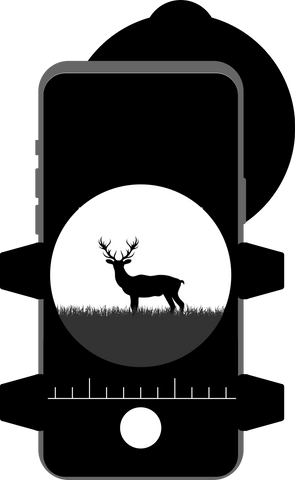
- Answer: This is referred to as vignetting and is to some extent inevitable when digiscoping. There are, however, a number of things that can be done to minimize it. 1.) Zoom in on your phone. 2.) Check that your phone's lens is aligned directly through the center of the adapter and straight into the eyepiece of your optics. 3.) Make sure your adapter is mounted as far forward on the eyepiece as possible, placing the camera as close to the eyepiece as possible. Some eyepieces have rubber eye-cups that can be removed to allow a better fit. Be sure to check out our tips & tricks videos for more!
Compression Ring Questions
- Question: "My Novagrade came with several rings, which do I use?"
- Answer:
- Only one of the compression rings will be used at any given time. Choosing which compression ring to use is a matter of finding which of the rings has the closest fit to your eyepiece before securing your phone, see video above for detailed walk-through.
Camera Adapter Questions
- Question: "Which of my lenses can I use with the Novagrade?"
-
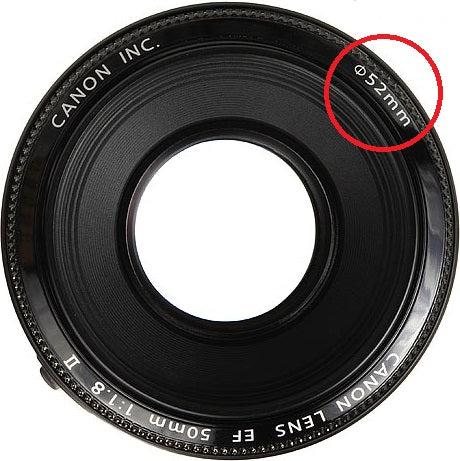
Answer: That depends on whether you're using a lens at all. We have two styles of camera adapter. Check out our direct projection or through-the-lens page for more on the differences. Our through-the-lens adapters attach to the filter threads of your lens. Check your lens filter size to find your filter diameter (see below) and select that size from our camera adapter page.